
Everyday AI data handling
 Microsoft PowerPoint
Check the data behind your slides
Before uploading a PowerPoint file, review speaker notes, hidden slides, embedded workbooks and other content beyond the visible slideshow. Work on a copy, use the inspection features available in your Office version and inspect remaining embedded material manually where needed. A deck that looks clean on screen can still contain information in its package.
For Sales enablement, strategy and IT
The fixture contains genuine notes, a hidden slide and extra workbook data.
Entirely synthetic PPTX files. Known canaries were checked structurally; no customer deck or AI upload was used.01
Review the file that will be uploaded
Identify whether you plan to send the editable PPTX or a separately reviewed export. The file type matters because an editable presentation can include notes, hidden slides and embedded data that are absent from a quick slideshow preview.
The synthetic source deck has two intended visible slides and a third slide marked hidden. It also contains a notes canary and an extra canary in a hidden row of the chart’s embedded workbook. These are genuine package structures, not labels drawn onto a screenshot.
02
Inspect notes and hidden slides explicitly
Review the notes pane and the slide list, including slides marked hidden. Hiding a slide changes presentation behaviour; it does not remove its contents from the PPTX. Notes may contain internal speaking points, names or background information that the visible slide was designed to omit.
In the exercise, slide 1 has a notes marker and slide 3 has the hidden-slide marker. The source file intentionally preserves them. Compare the clean counterpart, which has only the two intended slides and no notes parts. That result applies to the known fixture, not to an arbitrary deck.
Source context: Microsoft: Inspect documents for hidden data
03
Review the data behind the chart
A chart can display two simple values while its embedded workbook contains additional cells. Inspect the underlying workbook and any hidden rows or sheets through your presentation application’s supported tools. Do not assume the plotted range is the whole embedded file.
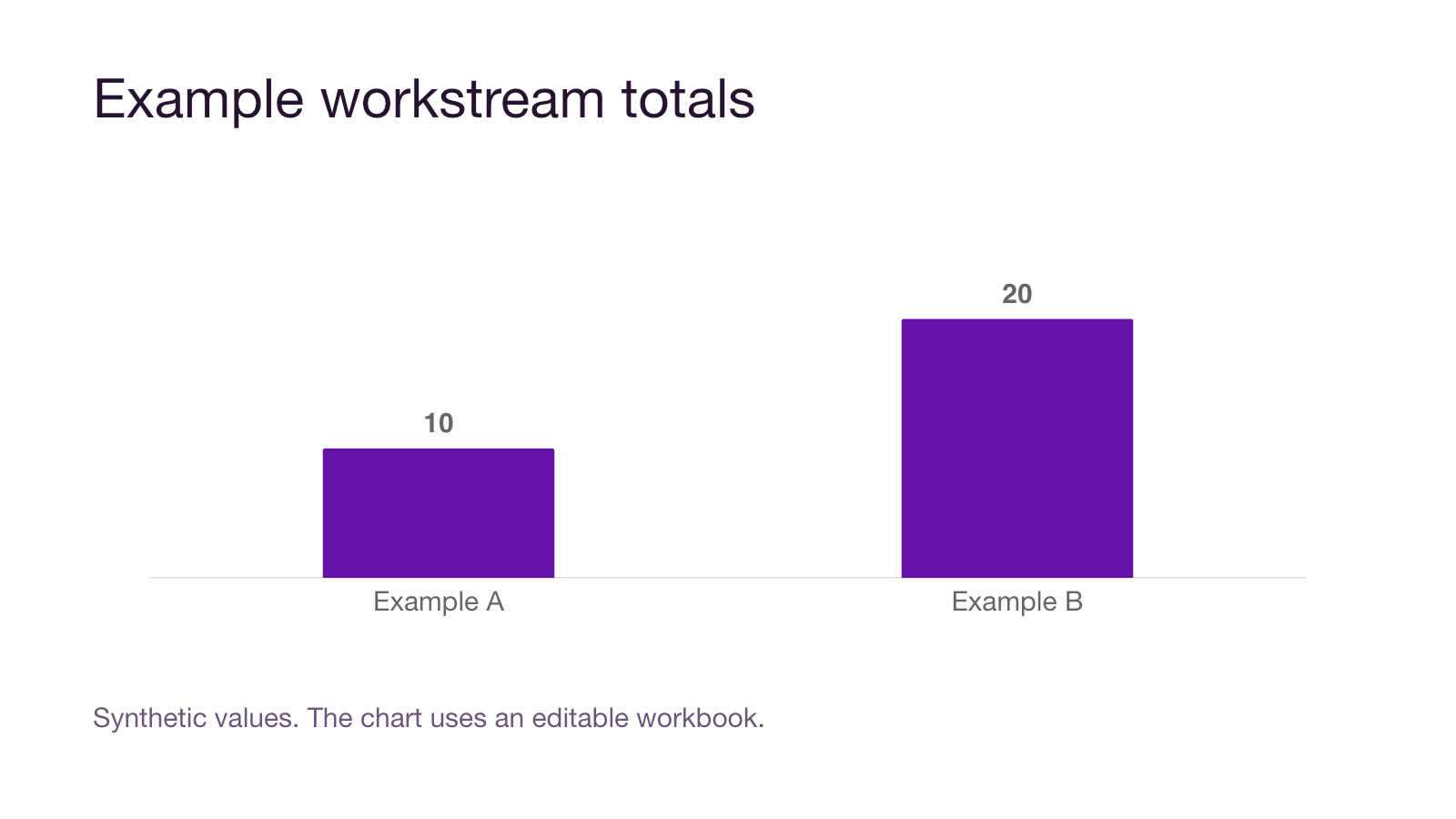
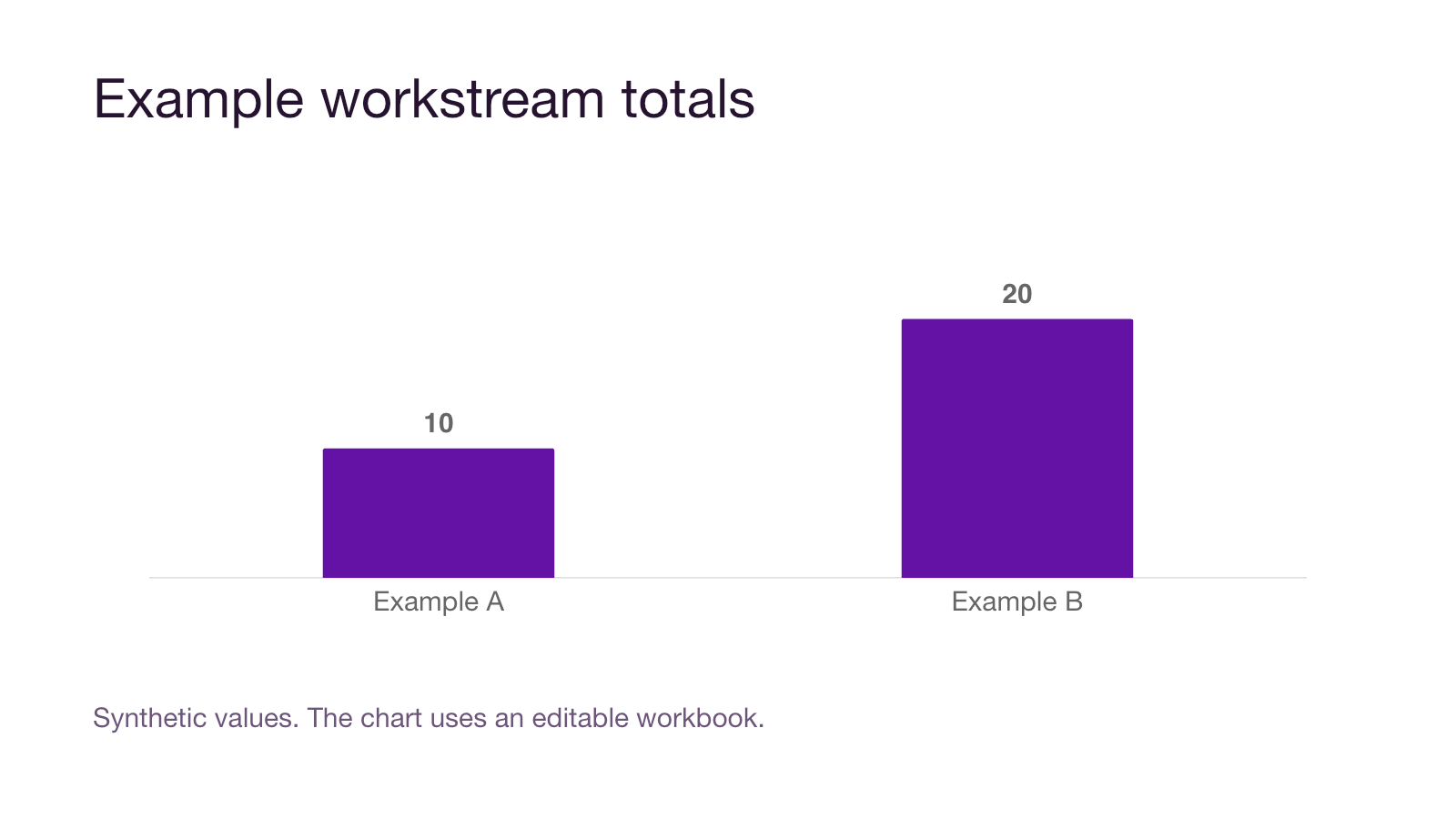
The fixture’s chart plots the fictional values 10 and 20. Its source workbook also contains a canary in hidden row 99, cell Z99, outside the plotted data. The reviewed counterpart preserves the intended chart data and editability while omitting that extra canary.
| Part | Source fixture | Reviewed counterpart |
|---|---|---|
| Visible slides | Two intended slides | Same intended material |
| Speaker notes | Notes canary on slide 1 | No notes parts |
| Hidden slide | Slide 3 with a canary | Removed |
| Embedded workbook | Chart data plus hidden-row canary | Intended chart data only |
04
Use inspection features on a copy
Microsoft recommends inspecting a copy because removed information may not be recoverable through Undo. Where your PowerPoint version provides Document Inspector, the documented route is File, Info, Check for Issues, Inspect Document. Choose relevant inspections and review their findings before removing content.
Inspection features have limits. Microsoft notes, for example, that presentation-note pictures and some off-slide content may require additional attention. Review the exact feature and file content rather than treating one automated pass as complete. Reopen the prepared copy and inspect its visible material and remaining package elements.
Source context: Microsoft: Inspect documents for hidden data
05
Record what the prepared copy contains
Keep a short inspection record: file version, content removed, embedded items retained, owner approval and the actual file selected for upload. If a visible-only export better meets the task, inspect that export separately and confirm it still communicates the required information.
The supplied pair passed package and chart-data validation, and its slides were rendered for inspection. It does not demonstrate an Office removal workflow or an AI provider’s ingestion behaviour. PowerPoint preparation is also not evidence that Aona supports PPTX redaction or every presentation upload path.
Put it into practice
PowerPoint hidden-content exercise
Inspect the real source deck and compare a counterpart containing only the intended visible content and chart data.
Entirely synthetic PPTX files. Known canaries were checked structurally; no customer deck or AI upload was used.
Speaker notes
A genuine note attached to slide 1
Not visible on the slide canvas
Hidden slide
Slide 3 remains in the source package
Hidden is not deleted
Embedded workbook
A non-plotted canary in hidden row 99
Visible bars do not show every cell
| Known canary | Location | Reviewed-copy state |
|---|---|---|
| Notes marker | Slide 1 speaker notes | Absent |
| Hidden-slide marker | Hidden slide 3 | Absent |
| Embedded-data marker | Workbook hidden row 99, cell Z99 | Absent |
Work through your review
Use the checks to organise the evidence you need. Save your selections in Word, then add your notes and evidence. Your selections stay in this tab until you download them.
0 of 3 reviewed
Examples and review material
Read the detail here, or keep the PDF, editable Word document and spreadsheets together.
Synthetic PowerPoint inspection exerciseRead
Both decks contain only fictional material. No macro, customer content or live connection is included.
Source: synthetic-hidden-content.pptx has three slides, with slide 3 genuinely hidden. Slide 1 notes contain SYNTHETIC_U02_NOTES_CANARY_9V4. Hidden slide 3 contains SYNTHETIC_U02_HIDDEN_SLIDE_CANARY_4M7. The chart’s embedded workbook contains SYNTHETIC_U02_EMBEDDED_CANARY_6K2 in hidden row 99, cell Z99, outside the plotted values.
Reviewed counterpart: synthetic-reviewed-copy.pptx keeps the two intended visible slides and the editable chart’s 10/20 data. It has no notes parts, hidden slide or known canary. It was constructed from intended content, not produced by a claimed automatic sanitization service.
Inspect a copy in your supported presentation application. Review the notes pane, hidden-slide list and chart workbook. Compare the counterpart and complete inspection-record.csv. Package/relationship/chart-data checks and rendered-slide inspection were performed, but no native PowerPoint session, Document Inspector operation or AI-provider ingestion test is claimed.
Guide and sources
Canonical guide: https://aona.ai/resources/guides/powerpoint-hidden-content-ai-upload/ Source review: 2026-09-21
- Microsoft: Inspect documents for hidden data: https://support.microsoft.com/en-us/office/collab-files/remove-hidden-data-and-personal-information-by-inspecting-documents-presentations-or-workbooks
Inspection recordRead
| Component | Source fixture | Reviewed counterpart | Your observation |
|---|---|---|---|
| Visible slides | Two intended slides | Two intended slides | UNREVIEWED |
| Notes | Known notes canary | No notes parts | UNREVIEWED |
| Hidden slides | Slide 3 marked hidden | None | UNREVIEWED |
| Embedded workbook | 10 and 20 plus hidden-row canary | 10 and 20 only | UNREVIEWED |
| Exact upload filename | RECORD | RECORD | NOT SELECTED |
Original practice files
Keep these examples in their original format to inspect the details described in the guide.
Synthetic hidden contentPPTX
Synthetic reviewed copyPPTX
Source visible chartPNG
Reviewed visible chartPNG
Before you proceed
Keep these distinctions clear
- Reviewing only slideshow output
- The editable package can still contain notes, hidden slides and additional chart data.
- Calling an automated inspection complete
- Review the inspector’s limits and the actual embedded content that remains in the copy.
Apply it to employee AI use
Bring your actual data path.
Aona secures employees’ AI use on supported, installed endpoint paths.
This guide does not establish PPTX redaction, hidden-slide detection or inspection of every embedded object by Aona.
Use the synthetic deck pair to define the required outcome and confirm whether the intended input path is supported before relying on a control.
Review your use caseFAQ
Questions for this decision
Does hiding a slide remove it from the PowerPoint file?
Can a chart contain data that is not visible in the bars?
Does the clean counterpart prove Document Inspector removes everything?
Does this page mean Aona supports PPTX redaction?
Evidence behind the guide
Sources and scope
Prepared by Aona. Sources checked 2026-09-21. The cited material supports the specific points below; it does not certify a product or your use case.
- Microsoft: Inspect documents for hidden data
Describes Document Inspector, working on copies, presentation notes and inspection limitations.
vendor · checked 2026-09-21